


Bongo V2 - Commercial Licence
> Processing Time: 1-4 Hours
> Official UK Price–Match Guaranteed.
> Backed by our 5-star tech support team
> Rhino 3D rated 4.4/5 on G2 — see the reviews
System Requirements
| OS: | Windows |
| RAM: | 8GB Minimum (32GB–64GB Recommended for large projects) |
| Graphics: | Dedicated GPU with 8GB+ VRAM recommended for stability |
Free Online Support
Need help? We offer free online support for all our products. Contact us via our Contact page and we'll be happy to assist you.
Related Products
- Rhino 3D V8 Commercial Licence — required to run this plugin
- Bongo + Rhino 3D bundle — includes Rhino + Bongo
- View all Bongo options — academic, commercial, and upgrade licences
- Bongo V2 Upgrade — upgrade from a previous version


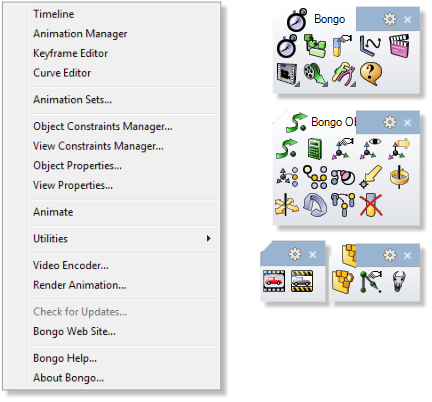
Bongo V2 is McNeel's keyframe animation plugin for Rhino 3D, bringing an Inverse Kinematics engine and object-hierarchy tools directly into the Rhino interface. It lets designers rig and animate mechanisms, characters, and assemblies without leaving their modelling environment or exporting to separate animation software.
This Commercial Licence gives full, unrestricted access for professional use, and works as a natural extension for anyone already modelling in Rhino who needs to bring their work to life.
Key features
- Inverse Kinematics engine for rigging and animating mechanisms
- Object-hierarchy tools for organising complex animated assemblies
- Keyframe-based animation timeline built directly into Rhino
Licence details
- Type: Perpetual, single-user commercial licence — no subscription, own it outright
- Activation: Install on any computer you own or control — just make sure only one is running the licence at the same time
- Delivery: Digital key, emailed automatically within minutes of checkout
- Requirement: Requires Rhino to be installed and licensed to run
Frequently asked questions
Do I need Rhino to use Bongo?
Yes, Bongo is a plugin and requires a licensed Rhino installation to run.
Which Rhino version does this work with?
Bongo V2 is built for Rhino 8.