


LandsDesign - Academic Licence
> Perpetual Licence
> Backed by our 5-star tech support team
System Requirements
| OS: | Windows |
| RAM: | 8GB Minimum (32GB–64GB Recommended for large projects) |
| Graphics: | Dedicated GPU with 8GB+ VRAM recommended for stability |
Free Online Support
Need help? We offer free online support for all our products. Contact us via our Contact page and we'll be happy to assist you.
Related Products
- Rhino 3D Academic Licence — required to run this plugin
- RhinoLands Academic Licence — bundle includes Rhino + LandsDesign
- View all LandsDesign options — academic, commercial, and upgrade licences
- LandsDesign Academic Upgrade — upgrade from a previous version
- VisualARQ — BIM tools, also by Asuni


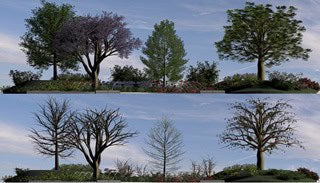
Develop terrain, planting schemes and landscape BIM documentation with LandsDesign at academic pricing. Working inside Rhino 3D or AutoCAD, it combines terrain modelling with a 2D and 3D plant database and BIM/LIM documentation tools, connecting the landscape model with the information needed to communicate the design.
Build terrain from 3D curves, contour lines or point clouds, then develop it with tools for paths, cut-and-fill operations and earthmoving volumes. The plant database provides botanical information such as growth, maximum height, climatic requirements and watering needs, helping you make planting choices as well as represent them in the model. Plant labels and lists support the documentation of the planting scheme, while irrigation tools include sprinklers and pipes. This brings site modelling, planting and landscape documentation into the same working environment rather than treating the 3D model as a presentation-only exercise.
This perpetual, single-user academic licence requires Windows and a compatible, licensed Rhino 3D or AutoCAD installation, sold separately. Current proof of academic status is required.
Explore LandsDesign
Discover terrain modelling, planting and landscape documentation workflows.
Explore LandsDesign Contact CADWAX