


LandsDesign V6 - Lab Licence
> Processing Time: 1-4 Hours
> Official UK Price–Match Guaranteed.
> Backed by our 5-star tech support team
System Requirements
| OS: | Windows |
| RAM: | 8GB Minimum (32GB–64GB Recommended for large projects) |
| Graphics: | Dedicated GPU with 8GB+ VRAM recommended for stability |
Free Online Support
Need help? We offer free online support for all our products. Contact us via our Contact page and we'll be happy to assist you.
Related Products
- Rhino 3D V8 Academic Licence — required to run this plugin
- RhinoLands Academic Licence — bundle includes Rhino + LandsDesign
- View all LandsDesign options — academic, commercial, and upgrade licences
- LandsDesign V6 Academic Upgrade — upgrade from a previous version
- VisualARQ V3 — BIM tools, also by Asuni


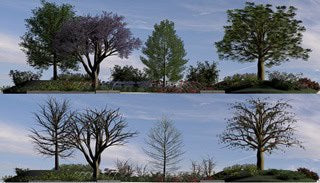
The LandsDesign V6 Lab Licence is designed for educational institutions that need to deploy LandsDesign across multiple workstations in a teaching environment.
Rather than issuing individual licences to named students, this single licence covers every computer in one classroom or lab, plus the instructor's computer, with no network required to run it. It's the simplest way for landscape architecture and design courses to equip an entire teaching space without tracking dozens of separate student accounts.
Key features
- Terrain modelling tools for shaping and analysing landscapes
- Extensive 2D and 3D plant database
- BIM/LIM documentation tools for landscape projects
- Runs inside both Rhino and AutoCAD
Licence details
- Type: Lab licence for one classroom/lab (one room), plus the instructor's computer
- Deployment: No network required — covers computers physically located in that room
- Eligibility: For accredited educational institutions — institutional proof required (letter from the institution or staff pay stub)
Frequently asked questions
Does this cover more than one room?
No, a Lab Licence covers one classroom or lab. Contact our team if you need to cover multiple rooms.
Do we need a network to run this?
No, unlike some floating licences, a LandsDesign Lab Licence doesn't require a network setup.
Current Rhino 8 licence holders also get free access to the Rhino 9 public beta — download and test new features alongside your production Rhino 8 install.