


MoI3D - Upgrade
> Perpetual Licence
> Backed by our 5-star tech support team
System Requirements
| OS: | Windows, macOS |
| RAM: | 8GB Minimum (32GB–64GB Recommended for large projects) |
| Graphics: | Dedicated GPU with 8GB+ VRAM recommended for stability |
Free Online Support
Need help? We offer free online support for all our products. Contact us via our Contact page and we'll be happy to assist you.
Related Products
- View all MoI3D options — academic, commercial, and upgrade licences
- MoI3D Commercial Licence — full licence (not an upgrade)


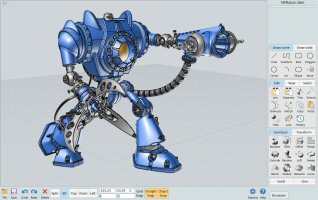
Upgrade your existing MoI licence to MoI3D for precise, standalone NURBS modelling on Windows or Mac. This perpetual, single-user commercial upgrade includes one cross-platform key and runs independently of Rhino 3D. Exchange models using STEP, IGES, OBJ and other major 3D formats.
MoI’s modelling workflow starts with outline curves and profiles, using Extrude, Revolve, Loft and Sweep to build surfaces and solids. Boolean operations combine or subtract forms, and fillets round the intersections between components. For downstream work, STEP and IGES preserve curves and surfaces, while OBJ and STL exports convert the model to polygons with adjustable mesh density. That distinction lets you choose an exchange format suited to CAD work, rendering or 3D printing. MoI also converts an OBJ subdivision control cage into NURBS, providing a route from a polygon-based starting shape into further CAD modelling.
A valid MoI V1, V2 or V3 licence is required, along with the original licence details. Your upgrade key is emailed automatically once your existing licence is verified.
Explore MoI3D
Explore standalone NURBS modelling, licence options and upgrades.
Explore MoI3D Contact CADWAX